Wednesday


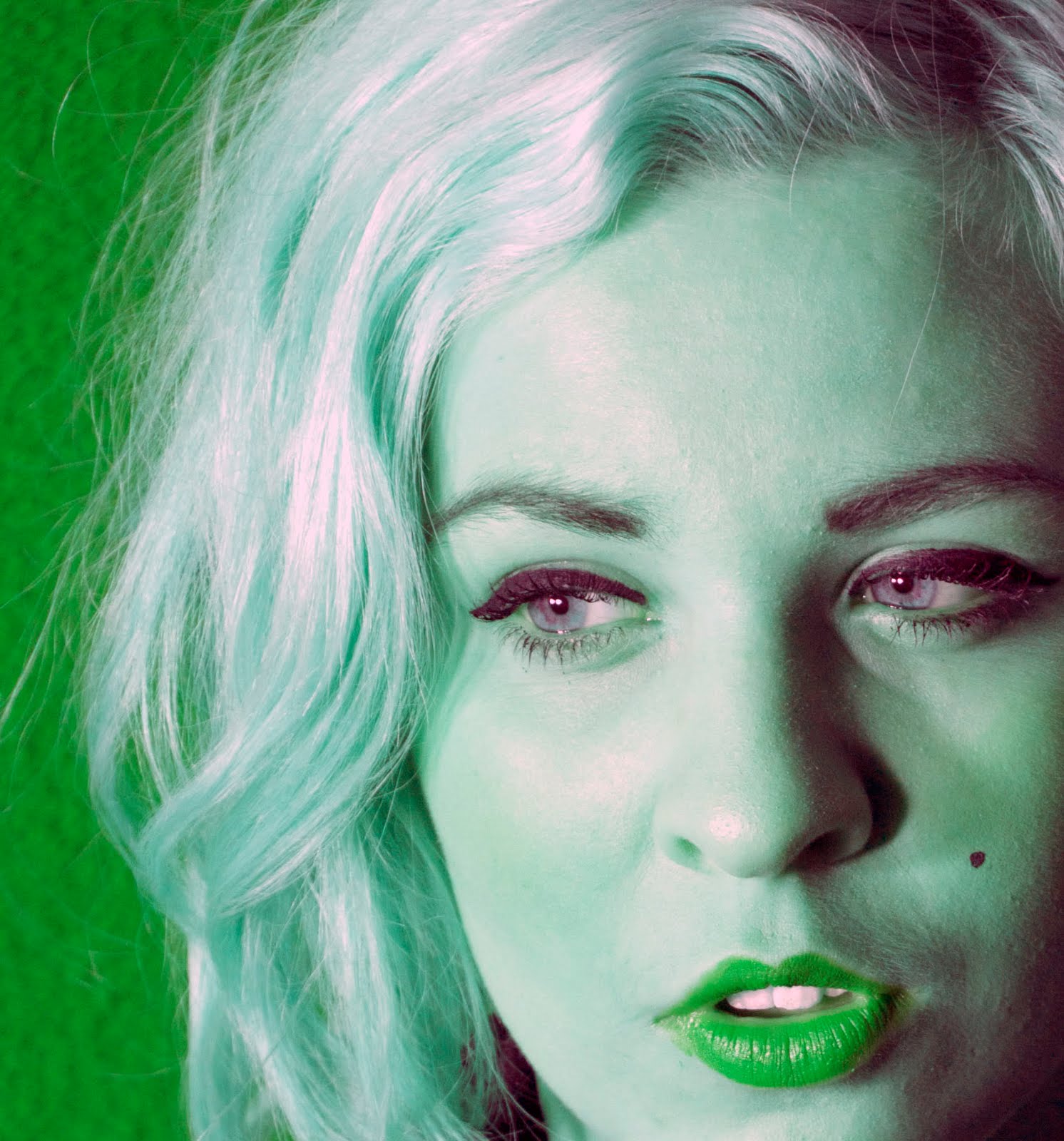
Experimenting with layout similar to andy Warhols electric chair!


Andy Warhol


This is an Andy Warhol inspired portrait I did this by playing around with the saturation.

Monday

What is Fine Art Photography?

I am working on my power point presentation and was researching how Fine Art photography can be defined. this is what i came up with:
It can be called "art photography," "artistic photography," and "fine art photography"
*Wikipedia describes it as:
"a high-quality archival photographic prints of pictures that are created to fulfil the creative vision of an individual professional".
* Fine art photography is one form of photography that I found hard to define.
Primarily because artistic value and beauty is very much in the eye of the beholder. What one person describes as aesthetically beautiful may be completely different to the next person.
* It has been described as ‘photography created purely for the sake of expressing the photographer's own vision and feelings’. (Dena Kane)
*Through researching a variety of famous ‘Fine Art Photographers’, I have found that although Fine art can be of a personal opinion, listed fine art photographers works are always resolved at a very high standard. Clear, correct colour balance, correct density, resolution, ect. What ever method they may use to capture their photograph traditional, digital, the way in which they have captured/manipulated and resolved the overall image is almost perfect.

2 week break: Country Placement

What I learnt on Country placement!
Im doing country school placement so this was my first time in school for the year.
It was great being able to teach the year 11 and 12 students techniques i had learnt in photoshop this year. I taught them how to create a montage of themselves, how to make their photo black and white while recovering parts of the image in colour, curves, eliminating imperfections and more. It was also a great oportunity to learn from the students as well.
Although i did not have access to the internet or a camera for two weeks i was able to build skills that will help me manipulate my photoshoots further.

Manipulating photoshoot!


Photoshoot: Richard Avedons Marilyn Monroe
My inspiration for my photoshoot was Richard Avedons Marilyn Monroe portraits. I wanted to re- create these portraits but change them and make them my own style.
I used a staged shoot where i set up lighting to set a sensual seductive type mood. I used a room with a plain white background where i could change the setting as i liked. I picked the colour red as a theme throughout the shoot as i feel it is a classy yet seductive colour that would suit marilyn monroes personality.
I found a costume that was suitable for the subject to wear and noted how her hair and makeup was done so i could copy it best as possible.
Here are some of the photos from the shoot. I have manipulated some of them.


COLOUR: Week 6 continued..

Today I also leant how to colour an image black and white while revealing certain parts of the image in colour! These are the notes I noted down as i was learning.
* Select image
* Adjustmensts: make b/w
* Click two adjoining circle button on the right tool bar (to make it a separate layer on top)
* Click back to the origianal picture and erase the area you want to come back in colour.
It reminded me of the movie 'Pleasantville' where parts of their world start to form in colour.
I used an image from the photoshoot i took in week 5 , that i hadent started manipulating yet.

I love the way it turned out I am really happy with it!

Photos from week 3- back tracking


I went on an art excursion and we visited the lane way in the city that has amazing graffiti art! The colour,detail and scale of the work was just amazing.
It got me thinking about some photos of tattoos i took during week 3, could tattoos be an interesting theme? could i incorporate it into my developed theme?
I did a couple of trials manipulating the tattoo photos slightly.

This one i just played around with the curves too and cropped the image slightly. I like the composition of this shot and i like the way the hair brushes past her shoulder.

The Buddha tattoo was manipulated by simply using the curves tool. This was to bring out the bold outline of the tattoo. I cropped the image so that the main focus was the tattoo. I love the Asian style beads at the bottom on the wrist it adds to the style of the tattoo.
The second photo I put into black and white then again used the curves too to manipulate the brightness and contrast of the image allowing the tattoo to stand out more. This photo was also cropped slightly.